Two windows. One view.
Track 5-hour and weekly quotas with clear progress bars and percentages.
What remains. When it resets. Credits available.
Your ChatGPT Codex usage, right in the menu bar.
 49% · macOS
Both quotas, reset times, and reset credits in one window.
Actual app screenshot · Click to enlarge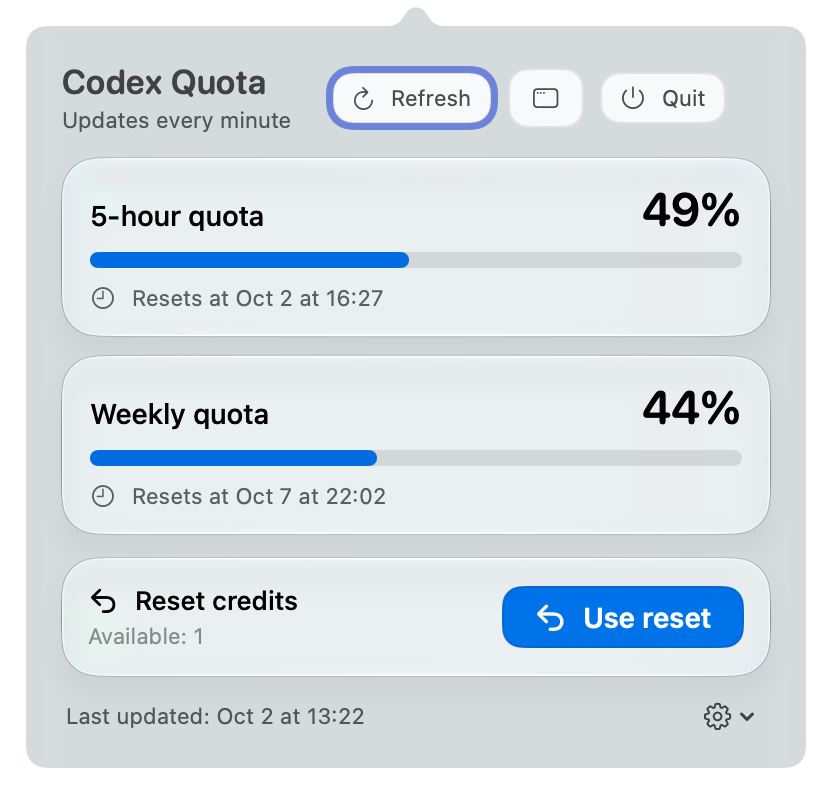
As your quota falls, the knot fades from top to bottom.
An icon and a percentage keep your usage in sight.
Try the slider. This is a demo; it does not access your account.
Track 5-hour and weekly quotas with clear progress bars and percentages.
See each reset time. Updates every minute, with manual refresh anytime.
See available credits. Every reset requires your confirmation.
Optional launch with ChatGPT, a floating window, and 11 interface languages.
Install the ChatGPT desktop app and sign in first.
This installer supports Apple Silicon. Liquid Glass requires macOS 26; earlier systems use system material. The app is locally signed, not notarized by Apple. If the first launch is blocked, allow it in System Settings → Privacy & Security.
curl -fL --retry 3 -o "$HOME/Downloads/CodexQuota-macOS.zip" 'https://github.com/jcxl8/codex-quota-macos/releases/latest/download/CodexQuota-macOS.zip'This command saves the ZIP to Downloads. Then unzip and install using the steps shown here.